
What is ShapeMap? A browser tool for pixel art animations from images and videos
ShapeMap by Frenia is an online tool that turns any image or video into an animated picture made of pixels. Each pixel can be a shape, a symbol or a tiny drawing you make yourself. You can then animate the result, make it react to the mouse, and export it as a video, a PNG image or an interactive animation for your website. Everything runs in the browser: there is nothing to install, no plugins, and no editing or motion design skills required.
What does ShapeMap do?
ShapeMap is a pixelation and gradient map tool built for creating motion. It looks at the brightness and colours of your picture or video and rebuilds it as a grid of pixels. It works like a gradient map in Adobe Photoshop, but each step of the gradient (a “stop”) gives the pixels more than a colour. It also gives them their own look: a circle, a star, a cross, a letter, a pattern or a pixel you drew by hand. Dark areas of your image get one shape, light areas get another, and together they form a new image made entirely of your own pixels.
The result can stay still, like a pixel art poster, or come alive with motion effects, mouse reactions and scroll animations.
Who is ShapeMap for?
- Designers and artists who want a distinctive pixel art, halftone, ASCII art or mosaic look without building it by hand.
- Web designers and developers who want an interactive hero animation, an animated background or a mouse-reactive image on a website.
- Social media creators and marketers who need eye-catching animated visuals and short videos for Instagram, TikTok, LinkedIn or ads.
- Video editors and motion designers who want a fast pixel effect to use in Adobe After Effects, Premiere Pro or DaVinci Resolve.
- Anyone who wants to turn a photo or video into something unique, even if they have never used design software.
After Effects-style results, in minutes
Effects like animated pixel grids, halftone motion and interactive pixel art usually take hours in Adobe After Effects, need plugins or expressions, or need custom code in a tool like TouchDesigner. ShapeMap gives you that kind of motion graphics result in a few clicks. You upload an image or video, choose a theme, pick your pixel shapes, switch on an effect and export. You see every change live, so you can experiment freely without rendering and waiting.
ShapeMap doesn’t try to replace After Effects, Photoshop or Premiere Pro. It works alongside them. You can export transparent videos and PNG sequences and keep editing them in your usual software.
Easy to use, no installation
ShapeMap runs in your browser, so you don’t download or install anything. The interface feels familiar to anyone who has used Photoshop: panels, layers, brushes and keyboard shortcuts. It is also simple enough for complete beginners. Your work saves automatically and is still there when you refresh the page or come back later. Your images and videos are processed on your own device and are never uploaded to a server.
Features
Gradient map with your own pixels
- A gradient map with a live histogram and up to 16 stops.
- Each stop sets both the colour and the shape of the pixels in that brightness range.
- Choose how the stops blend: smooth gradient, dithering, or the original colours of your picture.
- “Original colours of the picture” picks up to 8 main colours from the image and turns them into stops you can edit.
Layers, brush and editing
- Up to 12 layers with 8 blend modes; combine images and videos in one composition.
- Move, resize and rotate each layer, or turn the whole frame at once.
- Brush and eraser with adjustable feather, plus an eyedropper.
- Colour adjustments, cropping, free aspect ratio, zoom and pan.
Pixel shapes and drawing
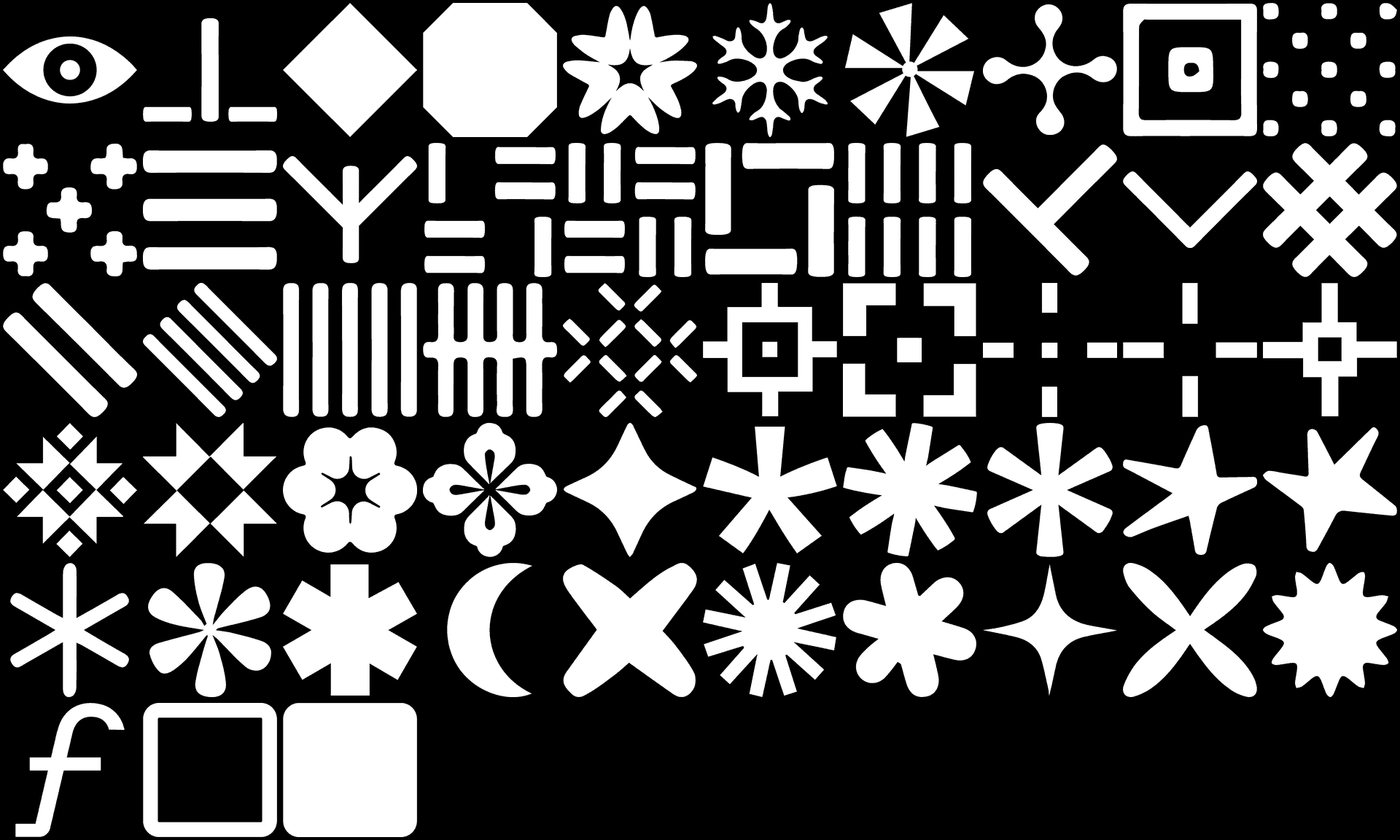
- 53 ready-made pixel shapes (stars, moons, suns, flowers, snowflakes, octagons, crosses, folk patterns and more), plus basic shapes, letters and symbols.
- Draw pixel: a built-in pixel editor where you draw your own pixels in layers, with transparency.
- Drawn pixels take on the colour of their stop and follow theme changes automatically.
Colour themes
- 51 ready-made colour palettes: monochrome themes, colour harmonies (analogous, complementary, triad, tetrad), styles such as retro, pastel and moody, and trending colours.
- A random theme generator that builds harmonious palettes.
- Save your own colours as themes and reuse them in any project.
Textures and random patterns
- 18 textures (zebra, leopard, batik, tie-dye, shibori, ikat, camouflage and more) and random patterns as an alternative to the image itself. They repeat without visible seams.
Animation and motion effects
- Motion effects such as waves, shimmer, candle light, film grain, soft light, glow and sway, at adjustable speeds, including very slow and subtle ones.
- Seamless loops that repeat without jumps.
- A timeline with clips, trimming and “Play all”, for building longer sequences.
- Record: capture everything happening in the preview in real time, in full quality.
Export
- PNG image up to 4096 px, with optional transparency.
- MP4 video (H.264) up to Full HD, with sound from the original video.
- WebM video with transparency (VP9 with alpha channel).
- PNG sequence in a ZIP with transparency, ready for After Effects, Premiere Pro and DaVinci Resolve.
- Interactive web package: one small JavaScript file with no dependencies, plus settings and assets. You add it to any website with two lines of HTML, and you can change colours and reactions later without exporting again.
Interactive web animations
ShapeMap has a dedicated Web tab for building animations that react to visitors:
- Pointer effects: light, shadow, spotlight, hole, invert, push, magnet, swirl, trail, wake, sparkle, uncover, colour shift and glow.
- Click and tap effects: ripple, burst, explode, flash, glow burst, next stop, a new random layout, changing colours and pause.
- Scroll effects: the animation plays, speeds up, builds up, lights up, glows or shifts colours as the page scrolls.
- Entrance animations: builds up, sweep, rise, from the centre and fade in.
- Wander mode, in which the effect moves by itself on phones or when no one moves the mouse.
- Colour shifts for reactions, adjustable strength, size, duration and easing.
- Use it on a single image or as an animated background for the whole page.
- A live preview on desktop, tablet and phone screens before you export.
Community
Share your work with “Post to community” as an image or a short animation, and browse what other people have made with ShapeMap.
Fast and lightweight on websites
ShapeMap’s web player is built for performance. It uses WebGL with a 2D fallback, only animates while the image is on screen, loads a smaller grid on mobile phones, and respects visitors who have switched off animations in their system settings (prefers-reduced-motion). The image is built live at the size of the page, so file sizes stay small.
Help us shape ShapeMap
ShapeMap is still growing. We’re working every day to make it a tool that’s genuinely worth your time and money: more shapes, more effects, smoother exports and a better experience overall. Your input helps us decide what comes next. If you have an idea, a feature you’re missing, something that feels confusing, or you’ve found a bug, we’d love to hear from you. Every piece of feedback, every bug report and every suggestion is welcome, and we read all of them.
Write to [email protected].
Frequently asked questions
Do I need to install anything?
No. ShapeMap runs entirely in the browser and works best in Chrome and Edge.
Can I turn a video into pixel art?
Yes. ShapeMap works with both images and videos, and exports the result as MP4, WebM with transparency or a PNG sequence.
Can I use ShapeMap animations on my website?
Yes. Export the interactive web package and add it to any website with two lines of HTML. The animation can react to the mouse, clicks, taps and scrolling.
Is ShapeMap an alternative to After Effects?
For pixel, halftone and gradient map animations, ShapeMap gives you an After Effects-style result much faster and without any experience. For full motion design projects, you can export from ShapeMap and keep working in After Effects, Premiere Pro or DaVinci Resolve.
Are my images uploaded anywhere?
No. Images and videos are processed on your device and stay in your browser. Only a work you choose to post to the Community is sent to ShapeMap.
How can I send feedback or report a bug?
We’d love to hear from you. Send us your ideas, suggestions and bug reports at [email protected], and they’ll help shape the next versions of ShapeMap.
Who makes ShapeMap?
ShapeMap was designed by Enia Pećnjak and is made by Frenia.
shaping
Free while in beta. Nothing to install.